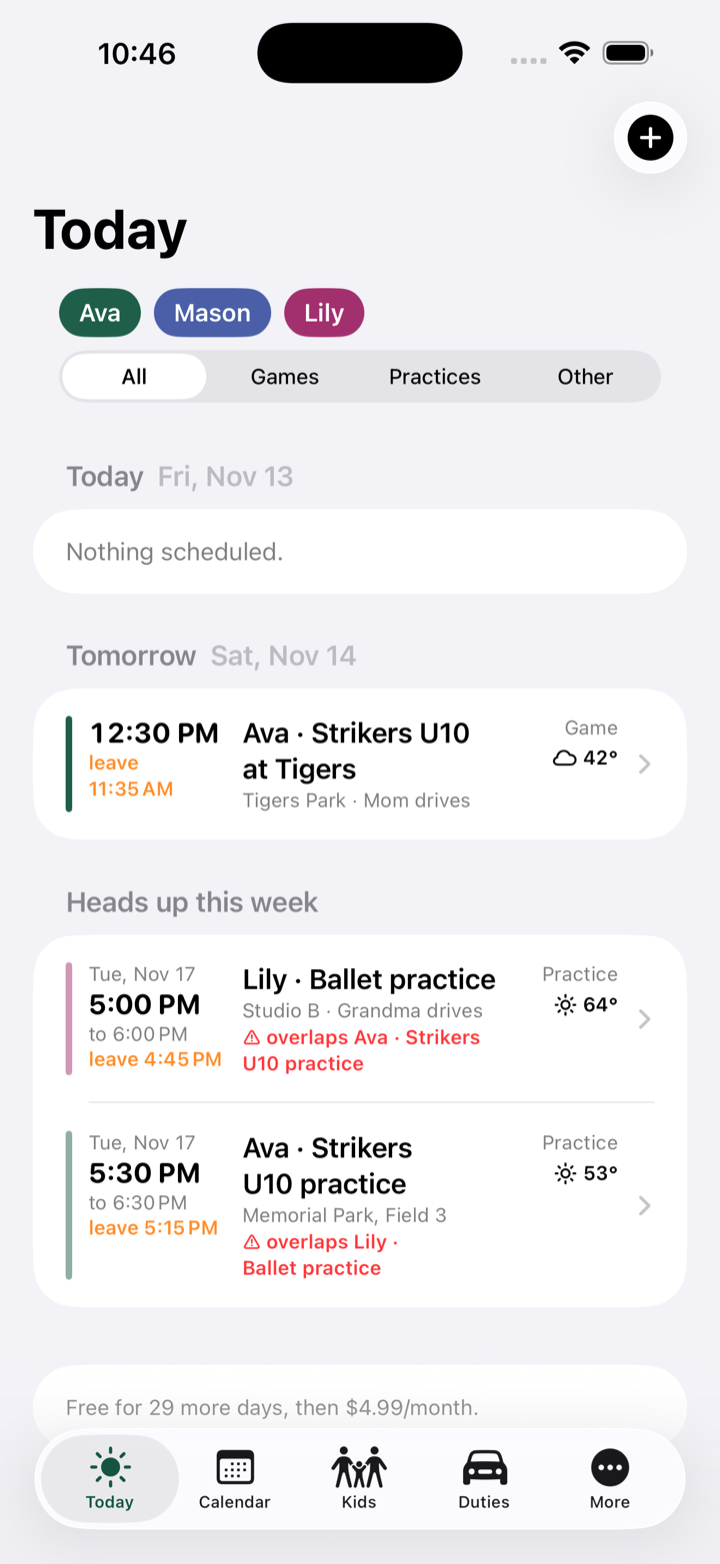
Every kid. Every game. One calendar.
Who's driving, who's on snacks, what to pack, when to leave the house, and whether it'll rain. Family Sports Coordinator keeps the whole family's season in one place on your iPhone — soccer, basketball, swim, dance, all of it.
Sound familiar?
Three kids, four teams, two parents, one minivan.
Four team apps, zero overview
Every coach uses a different app. Nobody shows you Tuesday across all your kids at once.
“Wait, who's driving?”
Two games at 10:00 on opposite sides of town, discovered Saturday morning.
The shin guards are at home
Again. And it's snack week. And pictures are Thursday, in the home jersey.
Built for the parent, not the coach
Team apps are made for the team. This one is made for your family.
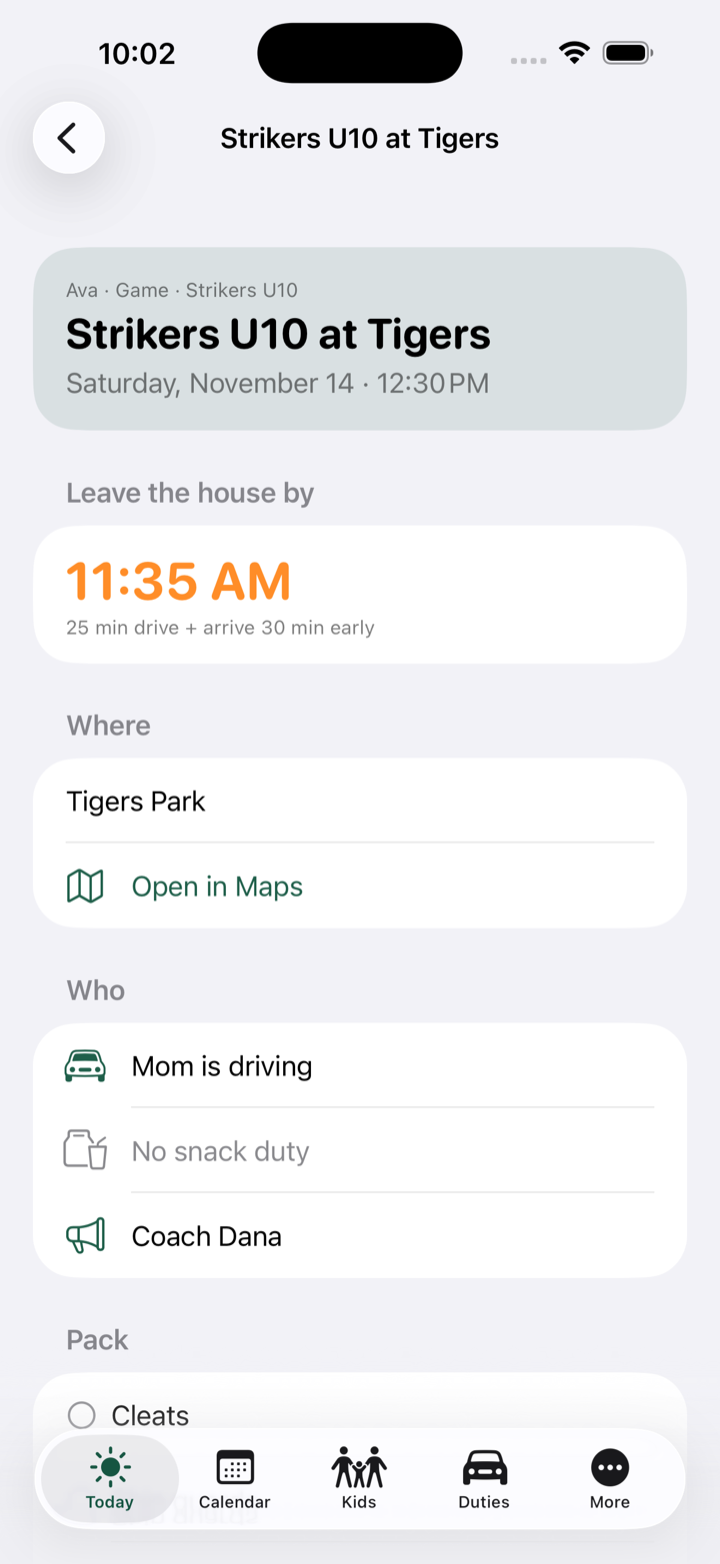
Know when to leave, not just when it starts
Every event has a drive time and an arrive-early buffer, so the app shows the time that actually matters: when you have to be out the door. It rings a “time to leave” reminder on your phone.
- Big leave-by time on every game and practice
- Forecast for game time, with a rain heads-up
- One tap to open the field in Maps
- Coach's name and number right there
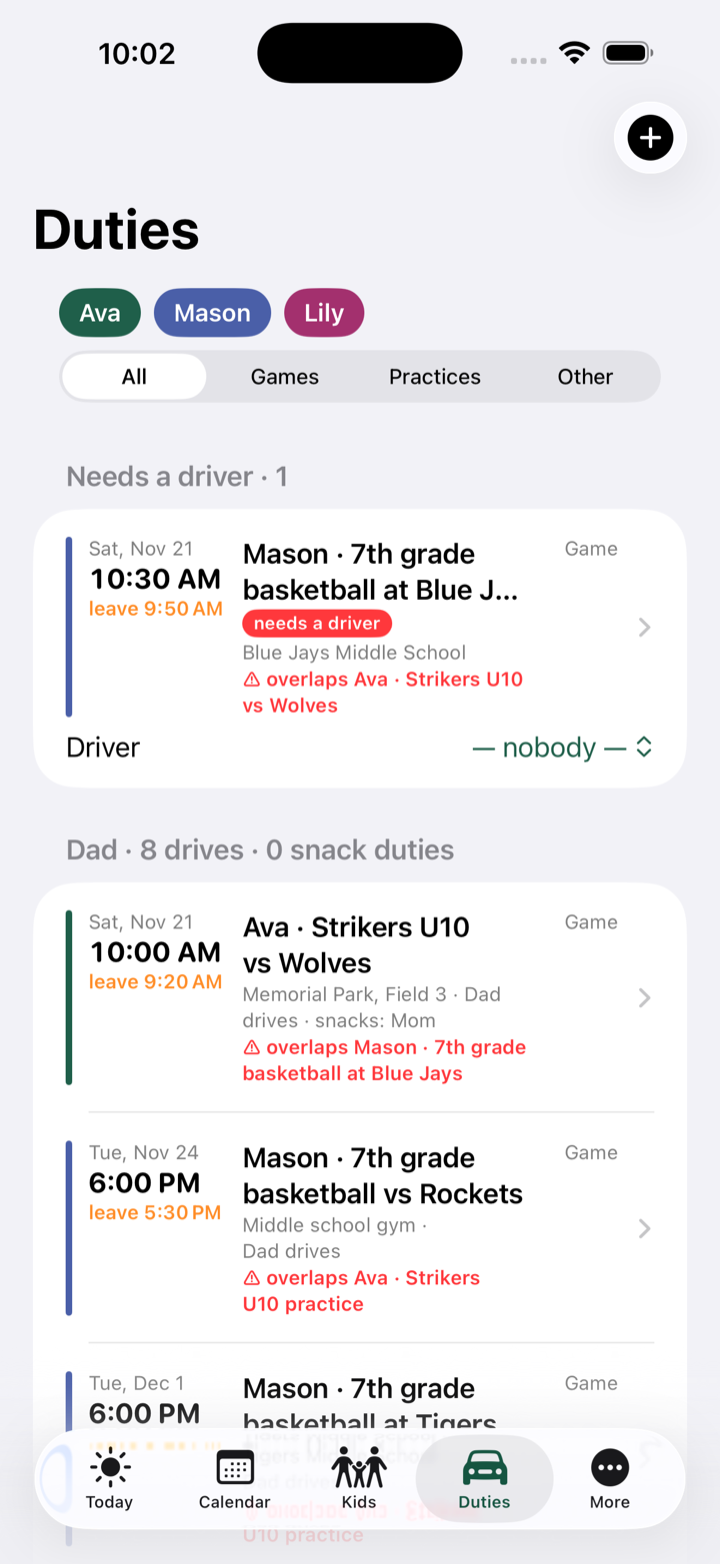
Who's driving, who's on snacks
Assign a driver and a snack parent to any game. The Duties screen shows every game that still needs a ride, each adult's load for the week, and the snack sign-up list.
- “Needs a driver” flags you can't miss
- Grandma, carpool parents, anyone who helps
- Assign right from the list
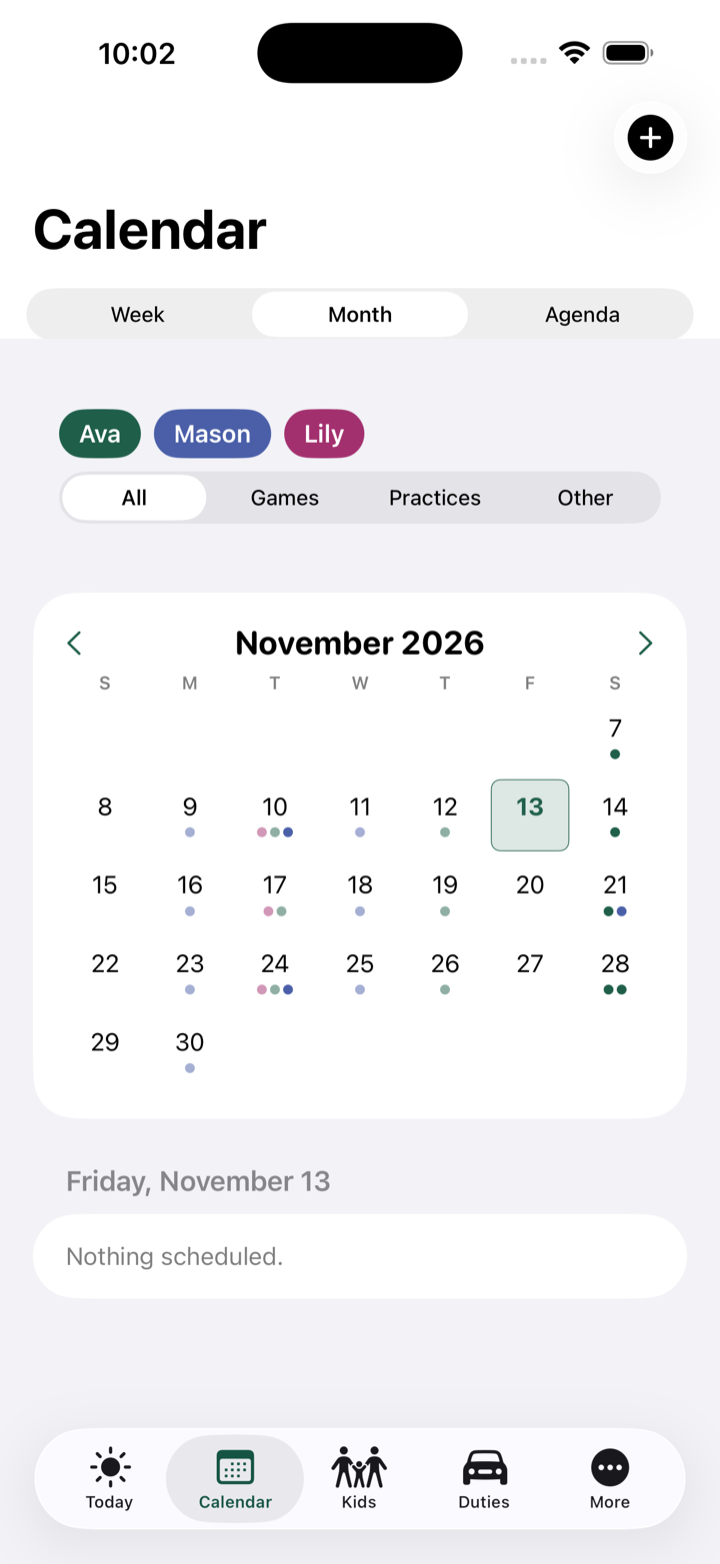
See the whole family at once
Each kid gets a color. The month view, the week list and the Today screen show everyone together, and warn you when two things overlap.
- Overlap warnings across kids
- Filter to one kid, or games only
- Weekly practices repeat until the season ends
Weather for game time
A forecast for each game's start time, right on the schedule, and a heads-up on the Today screen when rain is likely.
Import team schedules
Pull in the calendar file from TeamSnap, SportsEngine, GameChanger or your league site. Every game lands on the right kid.
Pack lists by sport
Cleats, shin guards, goggles, hair ties — filled in from the sport, ticked off per event before you walk out.
Share the week
Send the week as a text to the other parent or the grandparents, or add everything to your phone calendar.
Up and running in five minutes
Add your kids
Name, color, their teams and activities, the coach, the usual field.
Add the season
Import a team's calendar file, or type games in and set practices to repeat weekly.
Hand out the duties
Pick who drives and who brings snacks. The app does the leave-by math and the reminders.
One price for the whole family
- Unlimited kids, teams and events
- Time-to-leave reminders
- Driver and snack duties
- Pack lists and overlap warnings
- Schedule import and calendar sync
- Cancel any time in the App Store
Your family's data stays on your phone whether or not you subscribe.
Questions parents ask
Does it work with TeamSnap, SportsEngine or GameChanger?
Yes, through the calendar file those apps and most league sites provide. Save the file to your phone, pick it in Family Sports Coordinator, choose the kid, and the games come in. Duplicates are skipped if you import again later.
Can the other parent see the schedule?
Today you share it: send the week as a text, or add the events to your phone calendar and share that calendar the way you already do. A shared family account that syncs between phones is on the roadmap.
Where is my family's information stored?
On your phone. There is no account and nothing is uploaded to us. Back up to a file from the More tab whenever you like. See the privacy policy.
What happens after the free month?
The app asks you to subscribe through the App Store at $4.99 a month. If you don't, your data is still on your phone and comes back the moment you subscribe.
Where does the weather come from?
Apple Weather, looked up for the game's location at its start time, up to ten days out. If a venue has no address yet, the app uses your home town until you add one.
Is there an Android version?
Not yet. Family Sports Coordinator is an iPhone app. Tell us if you'd use an Android version.